
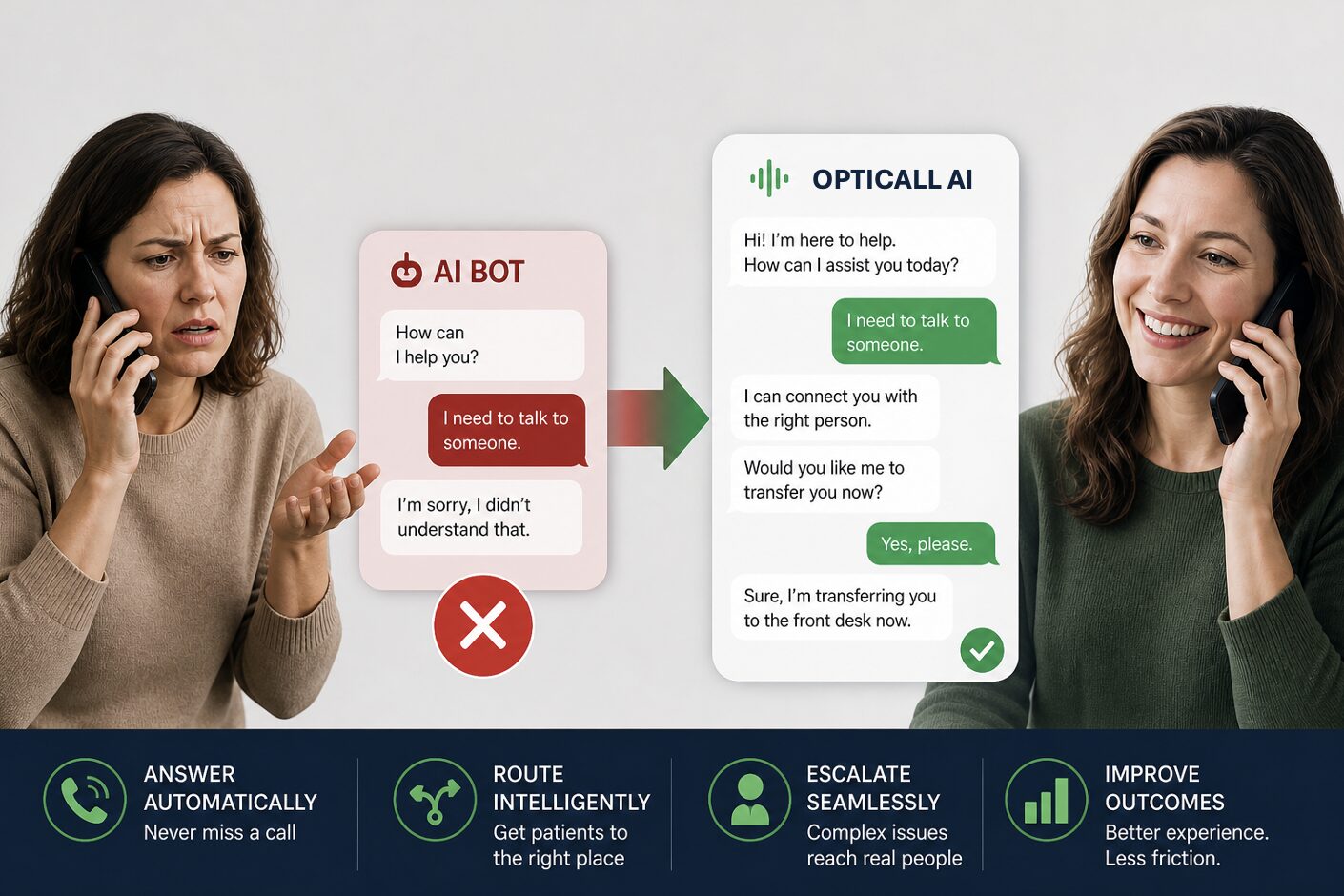
Using AI the “Right Way”: How to Avoid Patient Communication Breakdowns
We’re seeing more practices explore AI for patient communication. But the results aren’t always what they expect. Most practices adopting AI expect fewer calls and less strain on staff. Instead, many are seeing something else: More patient frustration, not less.
The issue isn’t AI. It’s how it’s applied.
Where AI Starts Creating Friction
Many systems are designed to reduce workload, but end up adding friction. Patients encounter tools that:
- Don’t understand their intent
- Force rigid paths
- Make it hard to reach a real person
Instead of speeding things up, the experience slows down.
Why This Happens
Most AI is built to replace staff. But patient communication isn’t one-size-fits-all. Some interactions are simple: scheduling, basic questions, call routing.
Others require judgment. When AI is forced to handle both the same way, the experience breaks.
What “Good” AI Should Do Instead
AI should support the workflow, not control it. That means:
- Handling routine requests
- Routing based on intent
- Escalating when needed
The goal is simple: Every interaction moves the patient forward.
The OptiCall Approach
OptiCall applies AI where it improves access:
- Calls are answered, routed, or resolved automatically. In April alone, nearly 100,000 calls were handled this way, with over half resolved or routed without staff involvement.
- Urgency is filtered appropriately.
- Patients are escalated when needed.
This ensures:
- Routine interactions are handled efficiently and complex situations reach the right person.
- No patient inquiry goes unanswered.
What Changes
- Fewer front desk interruptions
- Faster routing
- Less after-hours disruption
- A more consistent patient experience that drives booked appointments
The Bottom Line
AI doesn’t fail because it doesn’t work. It fails when it’s applied without understanding how patient communication actually functions. When used correctly, it removes friction without removing the human experience. This is where most AI strategies either reduce friction or create it.
See the Difference in Action
Schedule a demo to see how patient calls are answered, routed, or escalated in real time – ensuring a smooth experience that turns inbound prospects into booked appointments.
